|
I have recently purchased Sans Digital TowerRAID TR4M 4, an inexpensive RAID solution for 4 1TB drives that supports both eSATA and USB interfaces. I love its simplicity: a single cable puts a high-performance and a high-reliability storage solution at your fingertips. Excellent choice for your home office or small business data center!
The device comes with Silicon Image SATARAID5 Manager software for configuration and management of TowerRAID TR4M 4 using a graphical user interface. While the SATARAID5 Manager lacks visual appeal and usability features we have learned to expect from a modern application, it has all the capabilities you need to create, configure, and manage your RAID groups.
It was a bit of a challenge for me to get the SATARAID5 Manager up and running on my Windows 7 machine. Immediately after the application started, the "Could not acquire application lock" error message came up forcing the SATARAID5 Manager to be closed:
|
|
|
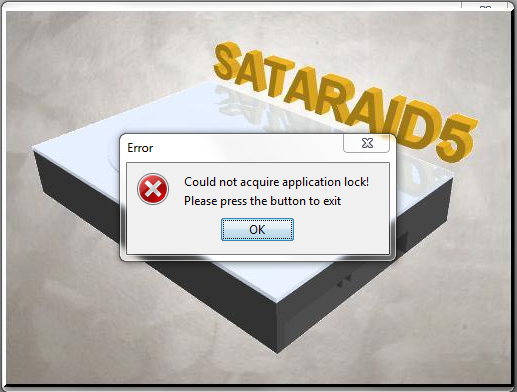
I was not able to find a clean solution to the problem, but I can share with you a work-around. To start the SATARAID5 Manager without exceptions, disable notification in the User Access Control Settings and restart your computer:
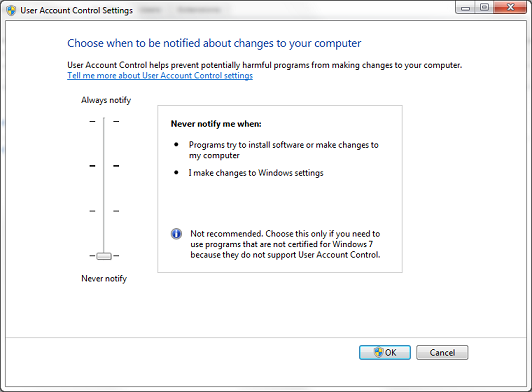
After configuring your RAID groups, do not forget to change the User Access Control Settings back to their original values.
Happy coding!